Cockpit
Tests: coverage, clone, step editor
Locked generated tests, cloning, and editing a test as steps.
Problem. Tests for a workflow are written once and drift. Nobody can say which routes through the flow are covered. And a generated test that a person edits by hand is overwritten by the next regeneration, or worse, silently diverges from the flow it claims to test.
The Tests screen in the left rail lists every route through a feature's workflow, worked out from the flow itself, and whether each has a test. Generated tests are locked. To change one you clone it, and the clone is yours and nothing regenerates it. It keeps a record of the scenario it came from.
This page shows the Cockpit only. Generating the tests from a terminal is in the CLI examples; the engine is in the Core examples.
Do this#
1. Coverage: every route, tested or not#
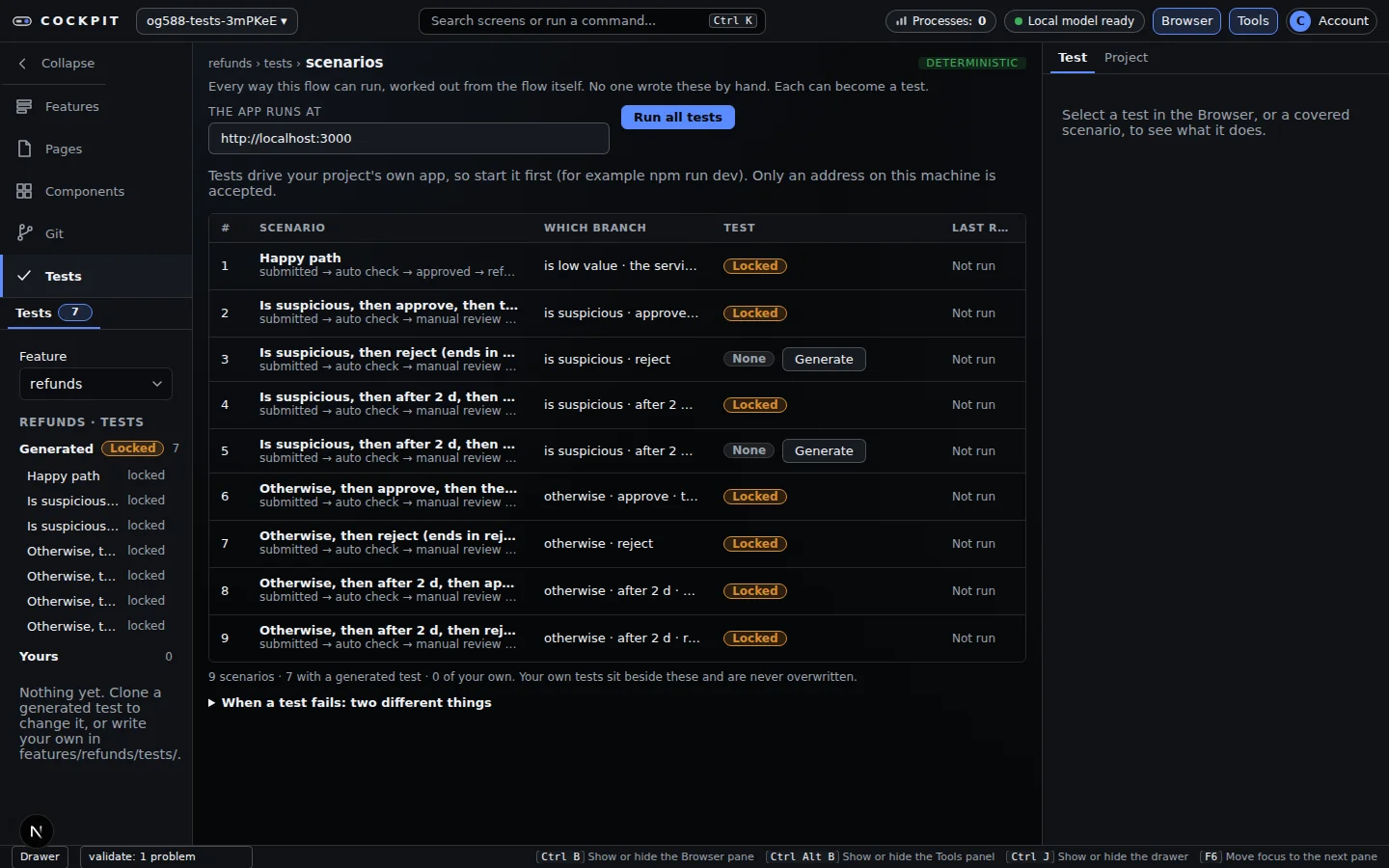
Pick a feature in the Browser pane. The table has one row per route through its workflow, with the branch it takes, whether a locked generated test exists (Locked) or not (None, with a Generate button), and its last result (Not run until something has run it). The Browser pane splits tests into Generated (locked) and Yours. A feature with routes but no tests yet shows one button, Generate N tests.
Run all tests above the table (or Run this test on a selected test) runs them against your own app at the address under The app runs at: start the app first, and only an address on this machine is accepted.
2. Editing a locked test means cloning it#
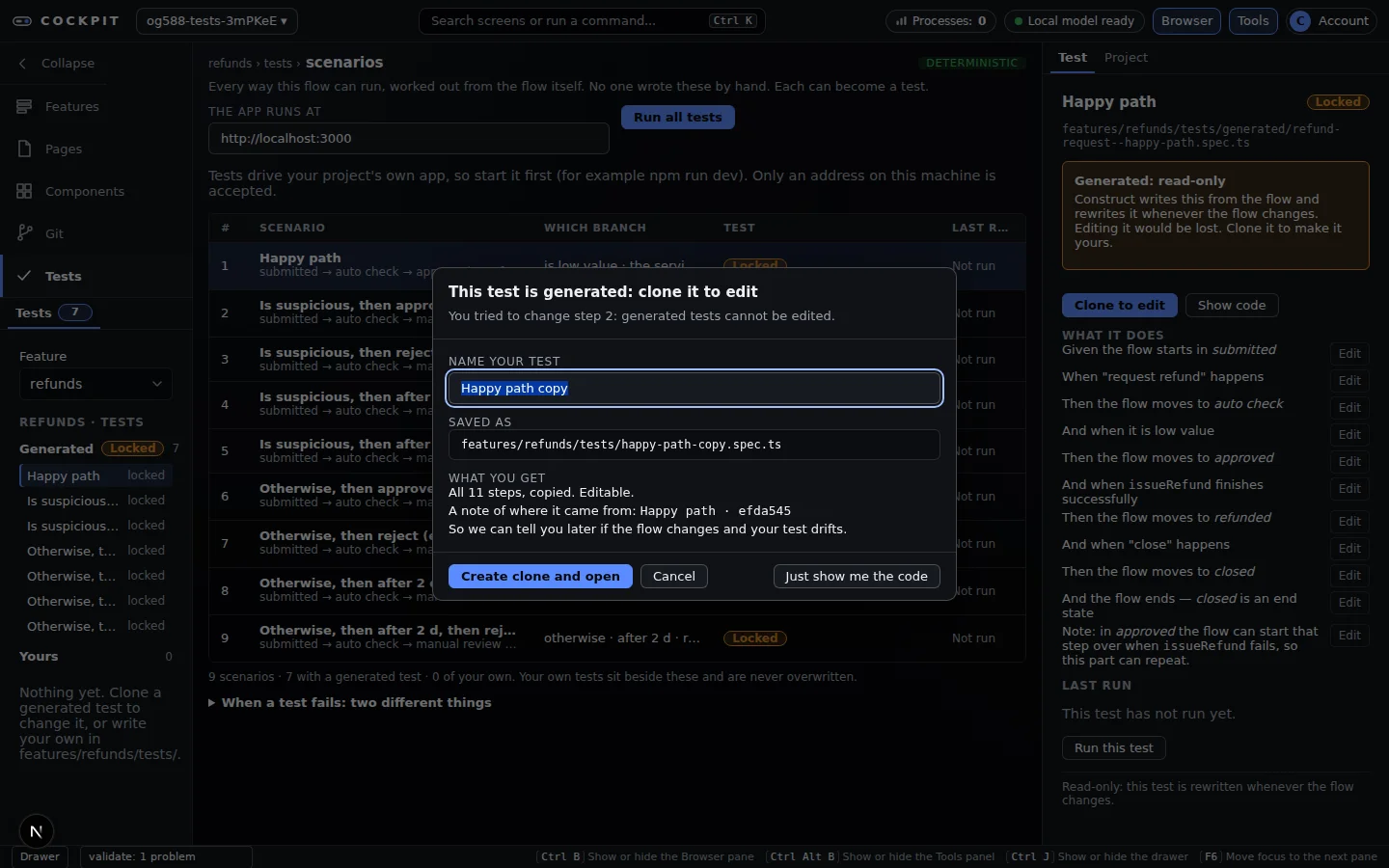
Select a generated test and press Clone to edit, or press Edit on one of its steps: a dialog ("This test is generated: clone it to edit") explains why it is locked and asks for a name. Create clone and open writes the copy into your area of the feature's tests; it is never overwritten and keeps a record of which scenario it came from, so a Clone out of date chip can tell you later that the flow changed and your copy drifted. Just show me the code shows the read-only source instead.
3. Edit the clone as steps, review the diff, save#
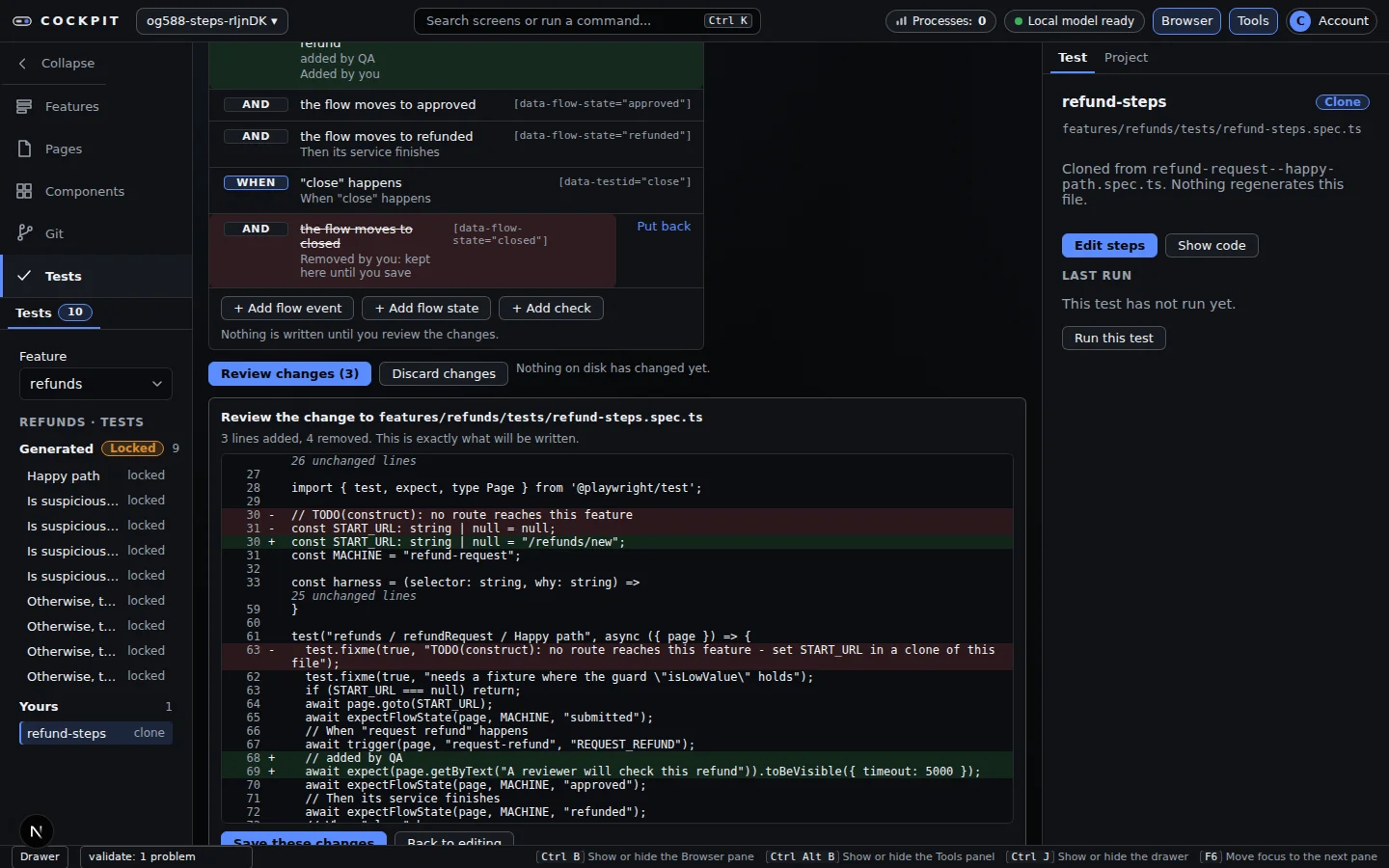
Select one of your tests and press Edit steps. It opens as a list of Given / And / When / Then / Check rows, each showing the selector it binds to. A form beside the list edits the selected row using pick-lists of the flow's real events and real states. Add a flow event, a flow state or a check (+ Add flow event, + Add flow state, + Add check); remove a step (it stays struck through, with Put back, until you save); reorder with Up and Down.
Review changes shows the exact diff of the file. Save these changes writes exactly that and nothing else.
Safety and honesty rules the editor keeps:
- A file is offered for editing only if it survives a round trip byte for byte. Anything else (a hand-written statement, an extra comment) is shown read-only with the reason, and never touched.
- Field values are checked against what the flow really has: an event must be one of its events, a state one of its states, a URL a path on the same site.
- A file that changed since you opened it is refused rather than overwritten.
- Today's steps are: go to a page, flow event, flow state, and a "text is visible" check. Click, type and wait steps are not offered yet, and free-form code editing and recording are not built.
You get#
| You get | Evidence above |
|---|---|
| Coverage worked out from the flow, not from memory | step 1: 9 scenarios, 7 covered |
| Generated tests that cannot be edited by accident | Locked badge and clone dialog |
| Edits you can review before they land | the diff in step 3 |
Why it matters#
You can see which routes are untested, and edit a test without the next run overwriting your work.
Checked against commit 6d5ef23 on 2026-09-24. Screenshots come from the project's own Playwright runs of these screens.